Smoke Detectors
The Best Smoke Detectors for Home Assistant
This is a thin category and pretending otherwise would waste your time. One protocol works properly, one device is the obvious choice, and the architecture matters more than the hardware.
By Ryder M.Last reviewed
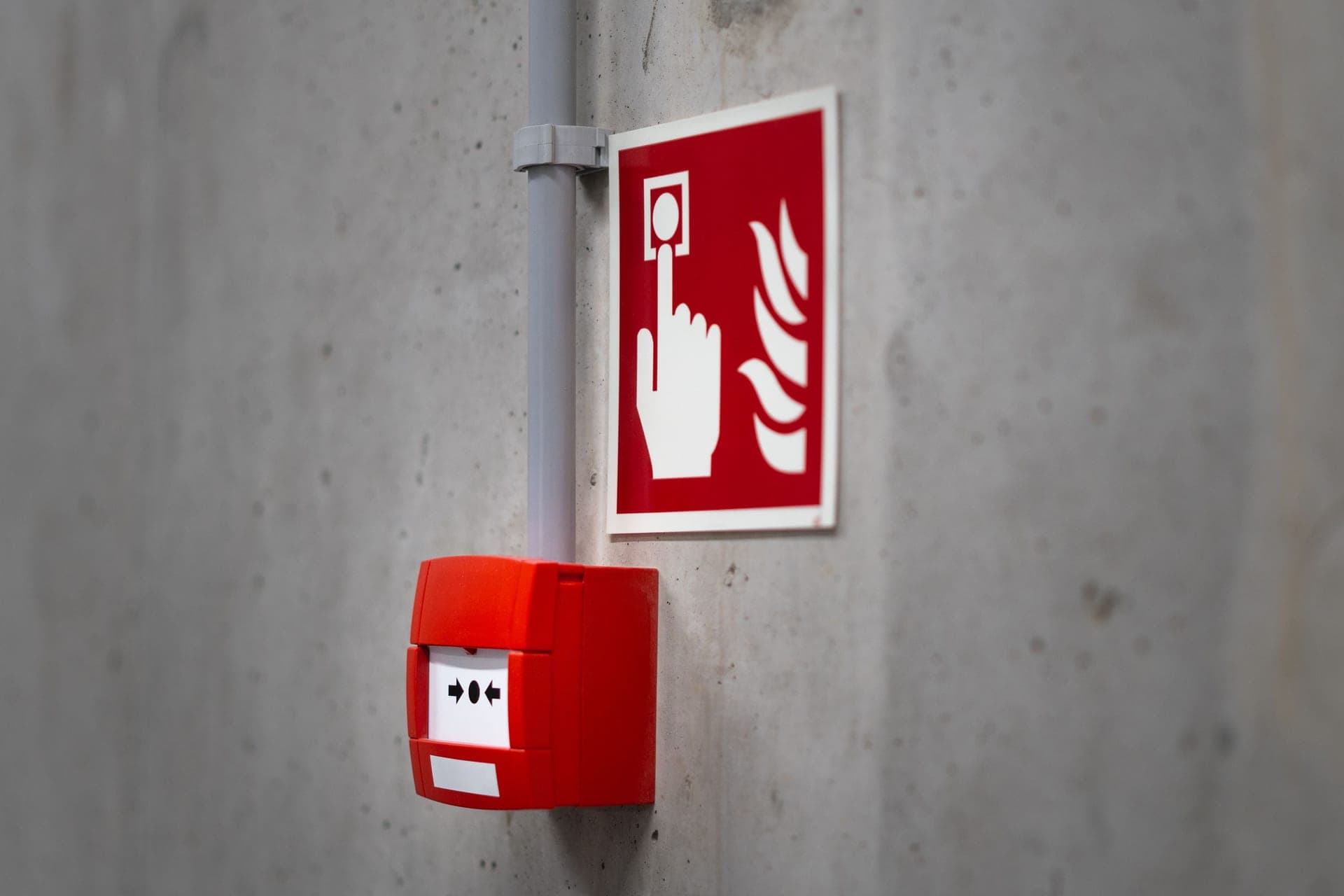
For a local, hub-native integration the answer is a Z-Wave alarm, and in practice that means the First Alert SMCO410 — it is Z-Wave Plus certified, so Home Assistant's Z-Wave JS can adopt it without touching a cloud. If you already run Ring, the Kidde Wi-Fi alarm reaches Home Assistant through the Ring integration instead, at the cost of a cloud dependency. Whichever you pick, the automation is a convenience layer: the listed alarm on the ceiling is what actually saves anybody, and it has to work with your server switched off.
Siren & Safe is reader-funded. We earn a commission on some links on this page, at no cost to you. It does not change what we recommend or the order we rank it in. Full disclosure.
The honest state of this category
Most smart home device categories have dozens of options across three protocols. Smoke alarms have almost none, and it is worth understanding why before you go looking for the perfect device that is not there.
A smoke alarm is a regulated, listed life-safety product. Adding a radio to it means re-listing it, maintaining that listing, and accepting liability for a device whose failure mode is a headline. That is a poor commercial proposition for a small manufacturer, so the field is a handful of large brands, and they have mostly chosen Wi-Fi and their own clouds because that is where the subscription revenue is.
The consequence for Home Assistant users is blunt: Z-Wave is the only reliably local route, and the device list on it is very short. The Home Assistant community says this to itself repeatedly in support threads, and nobody has found a better answer.
Zigbee smoke detectors exist, mostly from smaller manufacturers, and we are not recommending one here because we could not satisfy ourselves about their listings. An unlisted smoke detector is not a cheap smoke detector — it is a different product that happens to look like one, and for a device whose entire job is to be correct at 3am, that is not a trade we would make or advise.
The four routes into Home Assistant
Ranked by how much of the path you control. The further down this table you go, the more parties have to be working for your automation to fire.
| Route | How it reaches HA | Depends on | Verdict |
|---|---|---|---|
| Z-Wave alarm | Directly, via Z-Wave JS | Your controller and your mesh | The answer. Local, no account, protocol-standard |
| Listener device on the alarm | A separate sensor hears the T3 pattern and reports it | The sensor and its own integration | Good fallback — keeps your existing listed alarms |
| Wi-Fi alarm via manufacturer cloud | HA integration polls the vendor's API | Wi-Fi, internet, vendor servers, the integration | Works, with four points of failure in front of it |
| Google or Apple ecosystem alarm | Cloud-to-cloud bridging, where it exists at all | Two clouds and a bridge | Avoid for this purpose |
The listener approach deserves more attention than it gets. It leaves your properly listed, correctly placed alarms exactly as they are, and adds the connectivity as a separate device — which is a much better separation of concerns than putting the radio inside the life-safety device.
Quick picks
Scored against local control, integration reliability, listing currency, sensor coverage and upkeep. Tap a row for the full write-up. The price in each buy button is the live Amazon price at the last check, stamped with the date it was taken.
| # | Product | Best for | Score | Price |
|---|---|---|---|---|
| 1 | 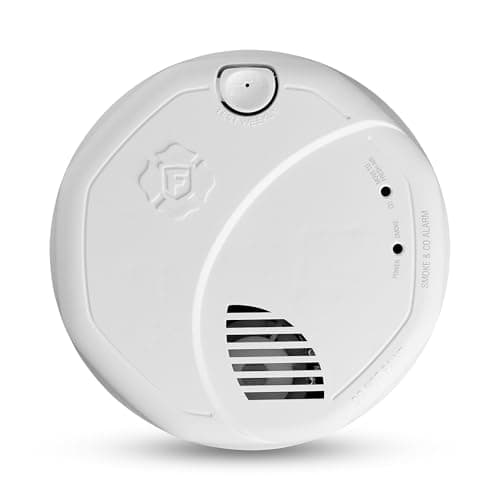 First Alert SMCO410 Z-Wave Plus Smart Smoke & CO Alarm Z-Wave Plus certified, so Home Assistant adopts it directly with no cloud in the path. | A local Z-Wave integration | 8.6/ 10 | $64.98 · View on Amazon #ad how we are funded · price as of October 19, 2026 |
| 2 | 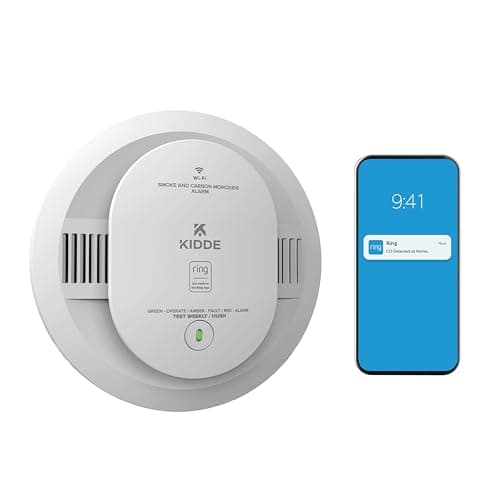 Kidde Battery Smart Smoke & Carbon Monoxide Alarm (Ring) Wi-Fi to the Ring cloud, and into Home Assistant through the Ring integration. | A house that already runs Ring | 6.9/ 10 | $69.97 · View on Amazon #ad how we are funded · price as of October 19, 2026 |
| 3 | 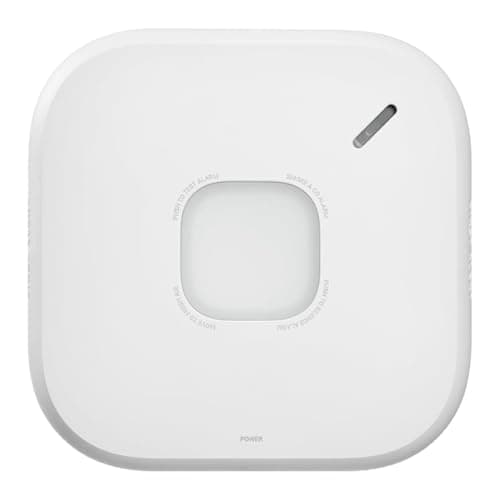 First Alert SC5 Smart Smoke & Carbon Monoxide Alarm Good alarm, Google ecosystem, and a poor Home Assistant citizen. | A Google-centric house that also runs Home Assistant | 6.2/ 10 | $124.97 · View on Amazon #ad how we are funded · price as of October 19, 2026 |
| 4 | 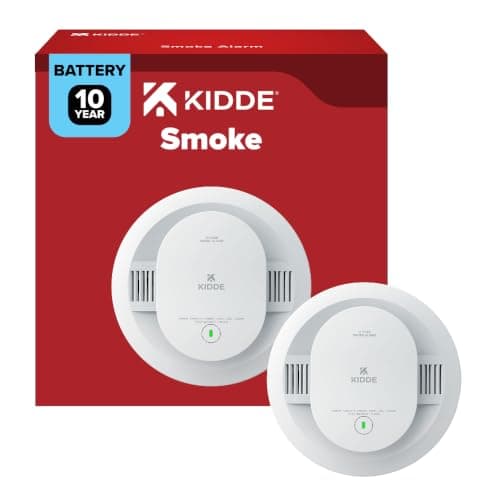 Kidde 20SD10 10-Year Battery Smoke Alarm No radio at all — which is exactly the right specification for most positions in the house. | The alarm that has to work when everything else does not | 8.0/ 10 | $32.47 · View on Amazon #ad how we are funded · price as of October 19, 2026 |
1. A local Z-Wave integration
First Alert SMCO410 Z-Wave Plus Smart Smoke & CO Alarm
Z-Wave Plus certified, so Home Assistant adopts it directly with no cloud in the path.
- Listed to
- First Alert states the alarm's Precision Detection sensing complies with the latest industry standards; it does not name a UL edition on the listing
- Sensing / agent
- Photoelectric smoke sensing plus an electrochemical CO cell
- Power / service life
- Sealed 10-year lithium battery
This is the device the Home Assistant community has settled on, and the reason is structural rather than enthusiastic: there is very little else. Z-Wave and Zigbee smoke detectors are a thin market, and most "smart" smoke alarms are Wi-Fi devices tied to a manufacturer cloud.
Z-Wave Plus certification is what makes it work. A certified device speaks the standard, so a controller it has never heard of — your Home Assistant instance running Z-Wave JS — can include it, read its notification reports and fire automations on them. No account, no API key, no vendor deciding next year that the integration is deprecated.
Two practical notes from the community that will save you an evening. First, inclusion usually needs the legacy secure option rather than the modern S2 flow, and people routinely fail the pairing several times before finding that. Second, the entities it exposes are Z-Wave notification classes rather than friendly sensors, so expect to spend a little time working out which entity means smoke, which means CO and which means the test button was pressed.
The listing edition is the honest mark against it. A plain Kidde 20SD10 carries UL 217 10th edition with its cooking-nuisance test; this carries the 9th. If nuisance alarms are your problem, the smart alarm is the wrong place to solve it.
What it does well
- Z-Wave Plus certified, which means any Z-Wave controller can include it — Home Assistant's Z-Wave JS included
- Fully local: alarm events reach Home Assistant over the mesh with no internet and no manufacturer account
- Smoke and CO in one device, photoelectric plus an electrochemical cell
- Sealed ten-year lithium battery, so the one device in your smart home that must never go flat does not need an annual visit
- Precision Detection sensing, which First Alert states reduces cooking nuisance alarms
The downside
- **First Alert does not name a UL edition** on this alarm, where the plain Kidde units publish theirs — so you cannot check it against the newer cooking-nuisance test
- First Alert supports it for Ring, not for Home Assistant. The Home Assistant route is a consequence of Z-Wave certification rather than a supported configuration, and you are on the community for help
- Pairing is fiddly — the community consistently reports having to use legacy secure inclusion
- Stock is frequently backordered at First Alert's own store
- Battery Z-Wave devices sleep between check-ins, so *status* updates are delayed even though alarm events are not
Do not buy this if: somebody who wants a supported, documented smart alarm with a vendor behind the integration. This works, and it works because of a protocol standard rather than because anyone promised it would.
- Z-Wave Plus certified, which is what lets a non-Ring controller such as Home Assistant's Z-Wave JS adopt it
- Works with a Ring Alarm or Ring Alarm Pro base station — First Alert states the base station plus a Ring Alarm Smoke and CO Listener are required for away-from-home notifications
- Precision Detection sensing, which First Alert states reduces cooking nuisance alarms
- Test and silence button, plus an end-of-life warning when it is time to replace the unit
- Sealed ten-year cell: no battery changes and no low-battery chirps
First Alert product documentation
#ad how we are funded · price as of October 19, 2026
2. A house that already runs Ring
Kidde Battery Smart Smoke & Carbon Monoxide Alarm (Ring)
Wi-Fi to the Ring cloud, and into Home Assistant through the Ring integration.
- Listed to
- Ring's product page does not state a UL listing number for this alarm
- Sensing / agent
- Photoelectric smoke sensing plus an electrochemical CO cell
- Power / service life
- Two replaceable AA batteries; 10-year limited warranty excluding batteries
This is on the page because for a lot of people it is the pragmatic answer: if you already have Ring cameras and a Ring base station, adding this is fifteen minutes and it shows up in Home Assistant alongside everything else you have already accepted a cloud dependency for.
What you should be clear-eyed about is the chain. For the alarm to tell Home Assistant anything, your Wi-Fi has to be up, your internet has to be up, Ring's servers have to be up, and the Home Assistant Ring integration has to be working. Four things, none of which you control, in front of one notification.
The alarm itself still sounds regardless — that is the important part, and it is why this is an acceptable product rather than a dangerous one. The horn on the ceiling is local and does not care about any of the above. It is only the *telling Home Assistant* part that is fragile.
The missing UL listing statement on Ring's page is the thing we like least. Kidde lists its own alarms to UL 217 and says so; we would expect the same on a Ring-branded Kidde, and its absence from the product page is a gap rather than evidence of a problem.
What it does well
- No hub needed — it joins 2.4 GHz Wi-Fi directly and appears in the Ring app
- Smoke and CO together, photoelectric plus an electrochemical cell
- Voice alert announces "Fire" rather than sounding an ambiguous horn
- Wire-free interconnect with compatible Kidde alarms, so the physical alerting is whole-house even if the network is not
- Ring states over 25% faster smoke detection than the previous generation
The downside
- **Cloud-dependent.** Your smoke alarm's reporting path runs through Wi-Fi, your internet connection and a manufacturer's servers before it reaches your own house's automation server
- Ring's product page does not state a UL listing number for this alarm, which we would want to see on a life-safety device
- Two replaceable AA batteries rather than a sealed ten-year cell
- The Home Assistant route is the Ring integration, which is polled and cloud-based — expect latency, and expect it to break when Ring changes something
- Professional monitoring is a subscription; the alarm works without it, but the upsell is part of the product
Do not buy this if: anyone whose reason for running Home Assistant is local control. This is the architecture you left the big ecosystems to avoid, and putting it on a smoke alarm is the least appealing place to accept it.
- Connects over 2.4 GHz Wi-Fi to the Ring app — no hub required, and no local control either
- Voice alert announces "Fire" as well as sounding 85 dB at 10 ft
- Wire-free interconnect with compatible Kidde alarms
- Ring states over 25% faster smoke detection than the prior generation
- Optional 24/7 professional smoke and CO monitoring, which is a paid subscription and not required to use the alarm
- AA batteries rather than a sealed ten-year cell
#ad how we are funded · price as of October 19, 2026
3. A Google-centric house that also runs Home Assistant
First Alert SC5 Smart Smoke & Carbon Monoxide Alarm
Good alarm, Google ecosystem, and a poor Home Assistant citizen.
- Listed to
- Conforms to UL 217 10th edition — First Alert's published specification names no UL 2034 number
- Sensing / agent
- Photoelectric smoke sensing plus an electrochemical CO cell
- Power / service life
- Six replaceable 3V CR123A lithium cells; 10-year limited warranty
Worth being explicit: this is a good alarm and a bad answer to this particular question. If your house is built around Google and you want phone alerts, it is a sensible buy and our write-up of it sits in the best smart smoke detectors.
If the reason you are reading this page is that you want a smoke event to trigger something in Home Assistant — lights to full brightness, a TTS announcement, a door unlock, a camera recording — this is not the device. There is no local protocol to hook into, and cloud-to-cloud bridges for life-safety events are exactly the kind of dependency chain that is fine until the morning it is not.
The Nest Protect it replaces is worth a word too, since people still ask. Nest Protect has been discontinued, and it was never a good Home Assistant device either — the integration path Google offered has come and gone more than once. Our Nest Protect review has the detail.
What it does well
- UL 217 and UL 2034 with a ten-year sealed battery — a genuinely good alarm on its own terms
- Phone alerts when the alarm sounds and nobody is home, which is the real smart-alarm benefit
- Google promotes it as the Nest Protect replacement and it reuses the Nest mounting bracket
- Works with the Google Home app, which for a Google household is the path of least resistance
The downside
- **No Z-Wave, no Zigbee, no local API.** There is no clean, supported route into Home Assistant
- Whatever route you find runs through Google's cloud and is subject to Google changing it
- Buying this for Home Assistant is buying it for the wrong reason
- More expensive than the Z-Wave option that actually integrates
Do not buy this if: your Home Assistant automations. We have included it to say so directly, because it is the alarm people most often assume will work and it is the one that integrates worst.
- Google promotes it as the Nest Protect replacement, and it mounts on the same bracket
- Wireless interconnect, including with compatible Google Nest Protect units, so a changeover can be staged one alarm at a time
- Voice alerts with Heads-Up warning, naming the hazard and the location rather than only sounding
- Phone alerts through the Resideo Connect app when the alarm sounds away from home
- 85 dB at 10 feet — the standard household figure, not a louder one
First Alert product documentation
#ad how we are funded · price as of October 19, 2026
4. The alarm that has to work when everything else does not
Kidde 20SD10 10-Year Battery Smoke Alarm
No radio at all — which is exactly the right specification for most positions in the house.
- Listed to
- UL 217, 10th edition (UL 217-2024 Ed.10)
- Sensing / agent
- Photoelectric smoke sensing only — no CO cell
- Power / service life
- Sealed 10-year lithium battery; 10-year limited warranty
We would put one smart alarm in the house and plain listed alarms everywhere else, and that is not a compromise — it is the correct architecture.
The reason is that smoke alarm coverage is a function of how many positions are covered, and smart alarms cost several times what a plain one does. A household that buys four smart alarms instead of the eight positions it actually needs has spent more money for less protection, and has done it in a way that feels like an upgrade.
Put the connected unit where the automation is worth having — usually the hallway or the kitchen-adjacent landing, where a trip is most likely and where you most want a notification if you are out. Fill every other required position with a plain, current-listing alarm. How many smoke detectors do I need sets the count.
What it does well
- Listed to UL 217 10th edition — the newest listing, with the cooking-nuisance test the smart alarms here do not carry
- Nothing to pair, nothing to update, no account, no integration to break
- Sealed ten-year cell and a ten-year limited warranty
- Cheap enough to put in every position, which is the thing that actually matters
The downside
- **No connectivity of any kind** — it will never tell Home Assistant anything
- No interconnect, wired or wireless
- Smoke only, no CO cell
- Photoelectric only
Do not buy this if: the position where you want the automation trigger. This is the argument for a mixed set, not for skipping the smart alarm entirely.
- Listed to the 10th edition of UL 217, which carries the cooking-nuisance test the 8th edition introduced
- Kidde's own wording: enhanced sensing technology reduces false alarms often caused by cooking
- No low-battery chirps for ten years — the first end-of-life beep is the replacement signal
- Three long beeps and a red flash on smoke, so the pattern tells you which hazard it is
- Twist-and-click bracket, and it self-tests rather than waiting for you to press the button
#ad how we are funded · price as of October 19, 2026
Automations worth writing, and ones to avoid
The useful ones make it easier for people to get out. The tempting ones make the automation load-bearing, which is the mistake.
- Worth it — lights on, full brightness, warm white, on every floor. Getting out of a dark house is the problem; this addresses it directly and fails safe if it does not run
- Worth it — a spoken announcement on every speaker naming the room. Most people wake to an alarm and cannot tell where it is coming from
- Worth it — a push notification to everyone in the household, including whoever is out. That is the genuine benefit of a connected alarm
- Worth it — turn off the HVAC so the system stops moving smoke between floors
- Avoid — anything that silences or disables an alarm. If your automation can hush a smoke alarm, a bug in your automation can hush a smoke alarm
- Avoid — making the automation the only alert for a person who might not hear the horn. That needs a listed strobe or a bedside device with its own power, not a Home Assistant script. See the best smoke detectors for the hard of hearing
- Avoid — unlocking every door automatically. It sounds sensible and it is a security decision you are making at 3am with no judgment in the loop. Unlock a specific exit if you must, not the house
Why battery Z-Wave devices behave oddly
A battery-powered Z-Wave device cannot keep its radio listening all the time or the battery would last days rather than years. So it sleeps, and wakes on a schedule — commonly around every 70 minutes — to check in, report its battery level and receive any queued configuration.
This confuses people setting up their first Z-Wave smoke alarm, because the device appears unresponsive. You change a parameter and nothing happens; you look at the entity and the last-seen time is an hour old. That is normal and correct behavior for a sleeping node.
The important thing is what is *not* delayed. An alarm event is sent immediately — the device wakes itself to transmit when it detects something, which is the entire point. What is delayed is housekeeping: battery percentage, configuration changes, and the reassuring "device is alive" heartbeat.
Practically, that means two things. Do not build an automation that depends on a fast round-trip to the alarm. And if you want to test the integration, press the physical test button — the device transmits a test notification, and that is the only way to confirm the path end to end.
Questions people actually ask
What smoke detector works with Home Assistant?
Are there any Zigbee smoke detectors for Home Assistant?
Can Home Assistant replace a smoke alarm?
Does the First Alert SMCO410 need a Ring base station?
Why does my Z-Wave smoke alarm show as unresponsive in Home Assistant?
Can I get Home Assistant alerts from my existing smoke alarms?
Should every smoke alarm in my house be smart?
How these picks were chosen. On published specifications, safety listings and manufacturer documentation — plus the findings of organizations that do run tests. We have no laboratory and we do not burn anything. Read the full methodology.
Sources
- First Alert — Z-Wave Plus Smart Smoke & CO Alarm (SMCO410) — product specifications
- Ring — Kidde Battery Smart Smoke & Carbon Monoxide Alarm — product specifications
- UL Solutions — UL 217 — smoke alarms
- NFPA — NFPA 72, National Fire Alarm and Signaling Code (2025 edition)
- NFPA — Smoke alarms — installation and placement guidance
- First Alert — Nest Protect replacement — First Alert SC5 compatibility
Read next
Smoke Detectors
The Best Smart Smoke Detectors
The one smart feature worth paying for, and why coverage still beats cleverness.

Smoke Detectors
Discontinued, still working, still on a ten-year clock. What owners should do.
Smoke Detectors
Smart vs Regular Smoke Detectors
What connectivity actually buys, why some smart alarms are on an older listing, and the mixed set we would fit.
Smoke Detectors
The Best Battery-Operated Smoke Detectors
Sealed ten-year cells, the interconnect problem, and four battery alarms that are current models.
Smoke Detectors
Why interconnection matters most, and the wired, wireless and hybrid routes.
Placement & Code
How Many Smoke Detectors Do I Need?
Worked counts for real house shapes, including split levels and open plans.